
- How We Picked
- Quick List: The Best Gaming Browsers by Job
- The Five Browsers at a Glance
- 1. Opera GX: Best for Resource Caps and a Gamer Sidebar
- 2. Microsoft Edge: Best on Windows with Chrome-Like Habits
- 3. Brave: Best for Privacy and Built-In Blocking
- 4. Firefox: Best for Low RAM
- 5. Google Chrome: Best for Compatibility
- Lightweight, Streaming, Low-End PC: Which Browser for Which Job
- Also Considered, and Why Not
- What We Couldn't Verify
- Bottom Line
- FAQ
The best gaming browser depends on what you need it to do while a game runs. If you want RAM, CPU and network caps plus Discord and Twitch in a sidebar, it's Opera GX, which is free. If you want the least memory, it's Firefox. We found no test showing any browser raising your frame rate, so choose for the job.
You're in a Helldivers 2 lobby with Discord open and thirty tabs behind it, and the game stutters when the drop starts. Was it the browser? Maybe. If you want no learning curve, stay on Chrome or move to Edge. If privacy comes first, it's Brave.
Get Opera GX from the official site (it's free). GX imports your Chrome data, per Opera Help, so you can keep Chrome installed while you try it for a week.
We haven't used these browsers for this piece. Every claim comes from a maker's page, a published test or a filing we opened, linked where it's used. Opera GX is the only offer we earn from: our Opera GX links go through our tracker, and we may earn a commission. The other four link to their own sites, and we say when you should pick one of them instead.
How We Picked
A browser had to be free, run on Windows, and have a maker page we could open plus at least one independent measurement or review. Then we asked a narrower question than "which is best": which job does each one do well while a game or a stream is running? Most of the "gaming browser" lists we read give no method and no numbers, so we kept the picks to what we could source.
That gave five jobs and five browsers. We found no test showing a browser changes a downloaded game's frame rate. What a browser can change is what's left over for the game: memory, processor time and bandwidth.
Quick List: The Best Gaming Browsers by Job
- Best for resource caps and a gamer sidebar: Opera GX
- Best on Windows with Chrome-like habits: Microsoft Edge
- Best for privacy and built-in blocking: Brave
- Best for low RAM: Firefox
- Best for compatibility: Google Chrome
The Five Browsers at a Glance
| What it adds for gamers | License and engine | RAM in published tests | |
|---|---|---|---|
| Opera GX | RAM, CPU and network limiters, Hot Tabs Killer, Discord and Twitch panels, per Opera | Closed-source freeware on Chromium (Wikipedia) | No GX figure found. Regular Opera (not GX): 1,260 to 1,280MB at 4 tabs, 2,550 to 2,600MB at 20 (SlashGear) |
| Edge | Sleeping tabs; PC gaming boost sleeps some tabs when a game starts (Microsoft) | Proprietary on Chromium (Wikipedia) | 980 to 1,000MB at 4 tabs, 3,200 to 3,250MB at 20 (SlashGear) |
| Brave | Shields blocks third-party ads, trackers and fingerprinting by default (Brave) | MPL 2.0 on Chromium (Wikipedia) | 2,202MB at 10 tabs, a different laptop (TurboGeek) |
| Firefox | Blocks trackers automatically; Tab Groups (Mozilla) | MPL 2.0, Gecko engine (Wikipedia) | 680 to 700MB at 4 tabs, 1,450 to 1,500MB at 20 (SlashGear) |
| Chrome | Memory Saver deactivates unused tabs, no memory cap listed (Google) | Proprietary freeware on Chromium (Wikipedia) | 1,010 to 1,030MB at 4 tabs, 2,850 to 2,900MB at 20 (SlashGear) |
SlashGear's January 2025 test used one HP laptop, Windows Task Manager and incognito mode, and its "Opera" entry is regular Opera, not GX. TurboGeek's 10-tab figure comes from a 64GB machine and doesn't say how memory was measured. Don't compare numbers across the two tests.
1. Opera GX: Best for Resource Caps and a Gamer Sidebar
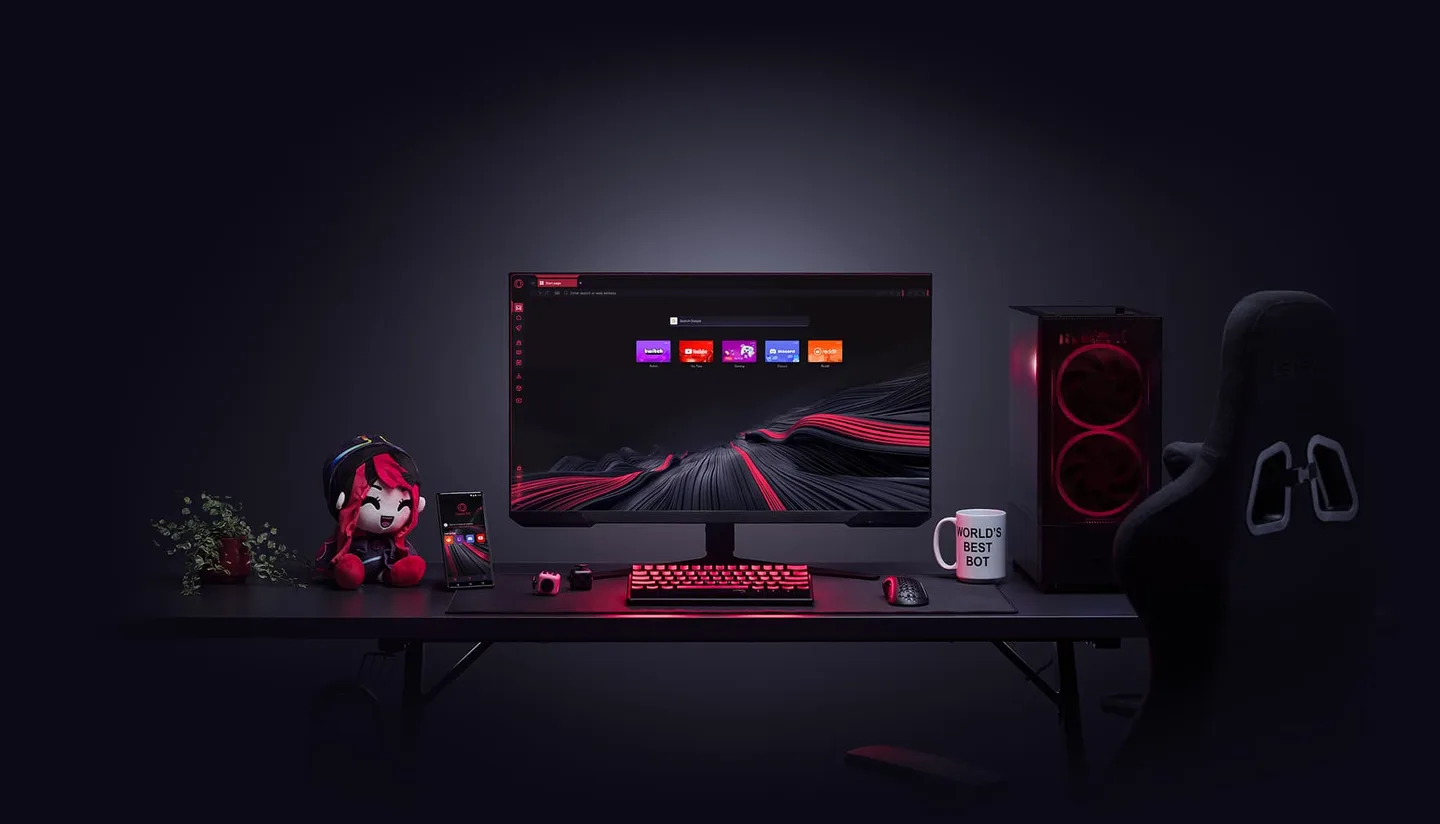
It's the one pick here built around a game and a browser sharing a PC. Per Opera, you can set a memory ceiling, throttle background tabs and cap the browser's bandwidth, and a Twitch panel and Discord live in the sidebar. Its tests are thin, and we cover them, along with the switching steps, in our Opera GX vs Chrome comparison. Our GX Control setup guide covers the cap values.
Skip it if privacy or open code comes first. It's closed source, Opera says its ad personalization is consent-based, and Kunlun Tech owns about two-thirds of the company; the details are in our Opera GX safety review. Skip it too if neon and sound effects sound tiring.
2. Microsoft Edge: Best on Windows with Chrome-Like Habits
Edge is Chromium underneath, so it behaves like Chrome, and Microsoft built a gaming feature into it. Microsoft's page says PC gaming boost aims to improve gaming on Windows 10 and 11 "by reducing browser resources when a game is launched," putting some tabs you aren't using to sleep as soon as you start a game. It gives no benchmarks and says availability may vary by device, market and browser version. By default, per Microsoft's performance features page, sleeping tabs kick in after two hours of inactivity, and Energy saver can make video less smooth, so Microsoft suggests excluding sites where you game in the browser. Virgin Media's March 2026 guide calls Edge the best browser for Windows gamers, but it describes no testing.
In the table, Edge was the heaviest of SlashGear's four browsers at 20 tabs, on one laptop.
Skip it if Microsoft's nudges annoy you. Wikipedia's Edge entry lists criticism including prompts that discourage downloading Chrome and Windows search redirecting to Edge. It held 10.49% of desktop browsing in June 2026, per StatCounter as cited there.
3. Brave: Best for Privacy and Built-In Blocking
Brave is the pick when privacy is the filter and you still want a Chromium browser. Its Shields page lists blocking of third-party ads and trackers, cross-site cookies, fingerprinting and malicious sites, with the standard mode on by default. Brave's homepage claims pages load "3x-6x faster," a vendor claim we couldn't check. In TurboGeek's test it had the lowest memory of five browsers, on a machine that isn't comparable to SlashGear's.
Skip it if you want limiters or a Discord sidebar, because Brave doesn't advertise either on the pages we opened. Its VPN, Brave Firewall + VPN, covers the whole device but costs $9.99 a month or $99.99 a year. GX's free VPN is browser-only.
4. Firefox: Best for Low RAM
Firefox had the lowest memory in the best test we could open, SlashGear's, at both 4 and 20 tabs (see the table). It's open source under MPL 2.0 and runs its own Gecko engine, per Wikipedia, and Mozilla says it blocks trackers automatically. An editorial site, Presto My PC, reports 300 to 500MB for five tabs of Firefox with uBlock Origin on a 4GB ThinkPad in April 2026, though it defers its method to another page.
My first build, at 14, paid for by cutting lawns, ran out of RAM before it ran out of anything else. A browser with twenty tabs next to a game puts you in the same spot, and Firefox with an ad blocker is the least fussy way out.
Skip it if you want caps, a sidebar or Chromium's compatibility. The CloudLoadout cloud-gaming guide says Firefox has "slightly higher latency in some cases," but it shows no test.
5. Google Chrome: Best for Compatibility
Chrome is the most widely used browser: 75.23% of PC browsing worldwide in March 2026, per StatCounter via Wikipedia. If a cloud-gaming service or a game's web launcher misbehaves elsewhere, it's the obvious second browser to try, though that's our opinion and we found no compatibility test. CloudLoadout (May 2026) names it best overall for cloud gaming without describing a method, and Virgin Media calls it fast but "memory-hungry." Google's Memory Saver page says Chrome deactivates unused tabs at Moderate, Balanced or Maximum levels and lists no memory cap. In the table it sat in the heavier half.
Skip it if you've caught Chrome hogging memory mid-game and don't want to babysit tabs.
Lightweight, Streaming, Low-End PC: Which Browser for Which Job
For a lightweight browser on a low-end PC, Firefox had the lowest RAM in the tests we could open. For streaming, we found no benchmark, so we don't rank a browser. Pick by the job below.
- A low-RAM or low-end PC. You alt-tab out of a match and the whole desktop crawls. Firefox, on the numbers we found. If you'd rather set a ceiling yourself, GX's limiter does that, per Opera, though we found no test of how much it saves.
- Streaming or watching with chat open. GX puts Twitch and Discord in a sidebar, per Opera. We found no independent benchmark of any browser running beside OBS, so we can't rank this. Keep the tab count low.
- Privacy first. Brave or Firefox, both open source per Wikipedia. GX is closed source.
- Chrome-like simplicity. Chrome, or Edge if you're on Windows and want the gaming boost.
- Cloud gaming in a browser. Chrome or Edge are the usual recommendations (CloudLoadout, Virgin Media), but neither shows measurements, so try your service in two browsers.
- Browser games. FRVR, a games site itself, says in a September 2026 guide that safety depends on the site: avoid fake download buttons and grant camera or location access only when it makes sense.
Also Considered, and Why Not
Vivaldi, Opera One and newer browsers such as Tabbit are out of scope: we found no independent numbers for them that we could open, and a best-of that can't source a pick shouldn't make it.
What We Couldn't Verify
- Frame rates and latency. We found no test of any browser's effect on games, including GX Control. Opera's "less lag" is a claim.
- Current RAM for GX. The numbers above are from one-laptop tests of regular Opera. None runs a game alongside.
- Edge's PC gaming boost. Microsoft's page gives no figures, and we found no independent test.
- Brave's speed claim. "3x-6x faster" is Brave's own marketing.
- Streaming performance. No browser-versus-OBS benchmark turned up.
- Presto My PC's method. It defers to a separate page we didn't open.
- Cloud-gaming latency by browser. CloudLoadout and Virgin Media offer opinions, not measurements.
Bottom Line
Bottom line: nothing here will rescue a weak graphics card, and the browser is the least important part of your gaming PC. If your RAM runs short with a game and tabs open, though, a free swap is the cheapest fix. Try Opera GX if you want caps and the sidebar, Firefox if you want the lightest footprint, and keep Chrome or Edge if nothing is broken. You can test two in an evening.
Get Opera GX from the official site
FAQ
What is the best browser for gaming?
It depends on the job. For gamers, Opera GX advertises the most gamer-specific tools (limiters, Discord and Twitch panels), Firefox used the least RAM in the best test we found, and Chrome and Edge are the compatibility bets. No source we found shows any browser raising frame rates.
Is Opera GX the best gaming browser?
It depends. If caps and a sidebar are what you need, GX is the only one of the five whose own pages advertise them. If privacy or open source comes first, it isn't the pick. Our Opera GX review has the full picture.
Does a browser affect game FPS?
We found no test showing it does. Opera and Microsoft both describe freeing browser resources while you play, but neither publishes benchmarks. What a browser can change is what's left over for the game: memory, processor time and bandwidth. That's why we compare RAM tests, not frame rates.
Is Firefox or Chrome better for gaming?
On memory, Firefox: SlashGear measured 1,450 to 1,500MB at 20 tabs against 2,850 to 2,900MB for Chrome, on one laptop. Chrome is the safer bet for compatibility, per its 75.23% share and CloudLoadout's cloud-gaming pick, though that guide shows no test.
What is the best lightweight browser for a low-end PC?
Firefox, in the tests we could open. SlashGear measured 680 to 700MB at 4 tabs and 1,450 to 1,500MB at 20, the lowest of its four browsers. Brave had the lowest memory in TurboGeek's separate test, on a different machine. Both are one-laptop results, so treat them as a guide, not a guarantee.
What is the best browser for streaming?
We couldn't find an independent test of any browser running beside OBS, so we don't rank one. Opera says GX offers a Twitch panel with live-channel notifications, plus Discord in the sidebar. Whichever browser you use, keep the tab count low beside OBS.
Are web browser games safe?
Usually, on reputable sites, but safety depends on the site. FRVR lists fake download buttons, misleading ads and unnecessary permission requests as the risks, and says a true browser game usually doesn't need an installed program. Grant camera or location access only when it makes sense.
Opera GX
Pros
- Every pick is free, so you can try two in an evening
- Opera GX is the one pick here that advertises RAM, CPU and network caps, per Opera
- Firefox and Brave are open source, with the lowest RAM in the tests we found
Cons
- No independent test shows any browser raising frame rates in a game
- RAM tests are small, mixed and mostly not about GX
- Opera GX is closed source and about two-thirds owned by Kunlun Tech
 Reviews
Is Opera GX Better Than Chrome? Gamer's Verdict (2026)
Is Opera GX better than Chrome? For a gamer who keeps a browser open beside a game, its built-in RAM, CPU and network caps are the main difference on paper. For everything else, Chrome holds its ground. Here is what the tests do and don't show, and how to switch in 10 minutes.
 Reviews
Is Opera GX Safe? Opera GX Review (2026)
Is Opera GX safe? The official browser isn't malware. The real risks are fake installers, ad-personalization data and Chinese majority ownership. Here is what's sourced, what real users say, and whether GX Control is worth switching for.
 Guides
Opera GX Mods and Themes: Install, Customize, Make Your Own
What an Opera GX mod is, how it differs from a theme, a wallpaper and an extension, how to install one from the GX Store, how to switch the sounds off, force dark pages, and make your own.