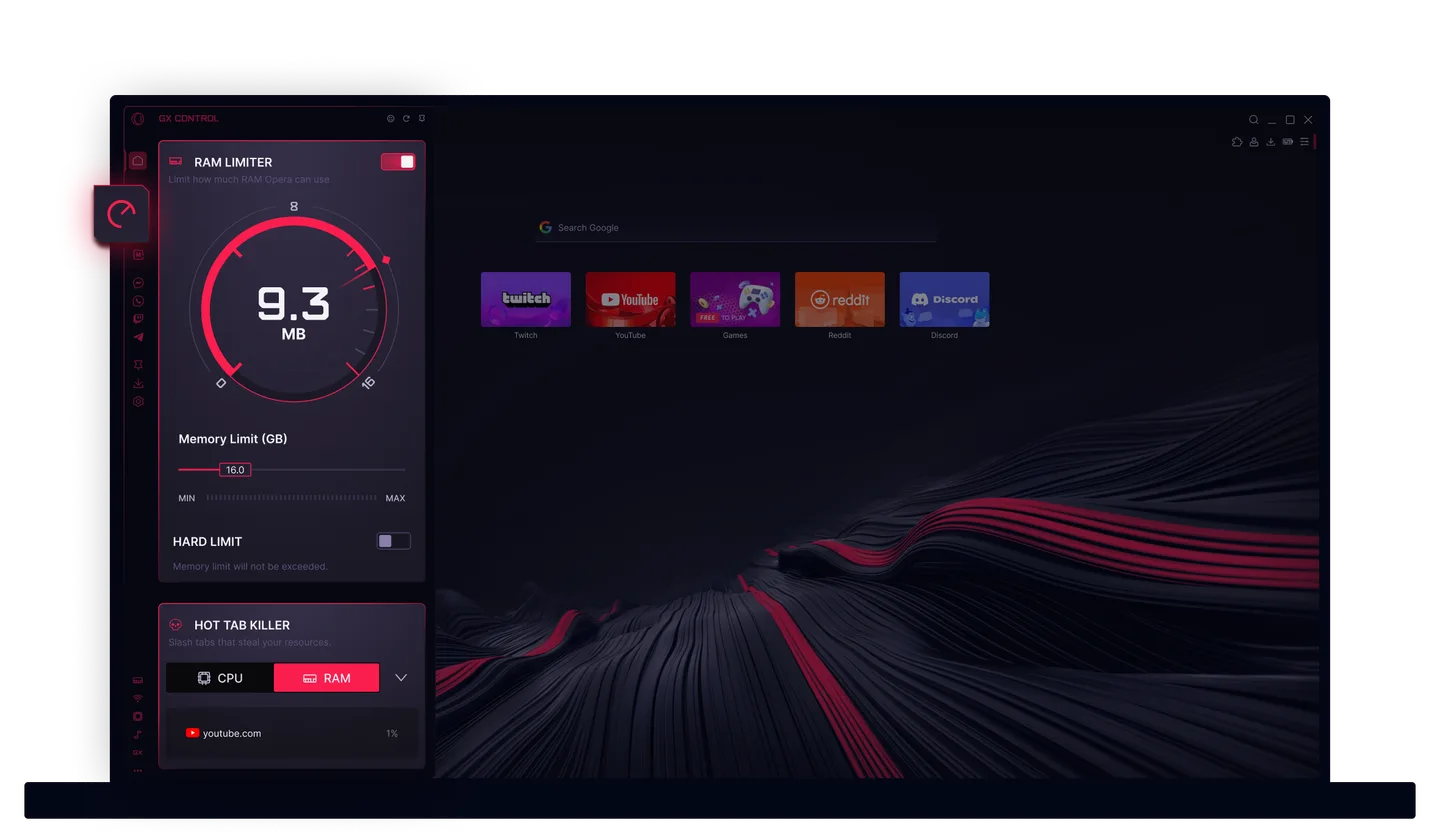
Is Opera GX better than Chrome? For a PC gamer who keeps a browser open beside a game, it can be: Opera says GX Control lets you cap the browser's RAM, CPU and bandwidth, while Google's Memory Saver page describes no memory cap. Chrome wins if you live in Google's ecosystem, want a plain browser, or won't accept Opera's ownership. No test we found shows GX raising your frame rate, so don't switch for that.
You alt-tab out of a match to check a build guide, and the tab you forgot about is sitting on a few gigabytes of RAM. That's the situation Opera GX is built for.
Get Opera GX from the official site (it's free)
We haven't used either browser for this piece. It's a synthesis of vendor pages, published tests and filings, each linked where it's used.
Switch If / Stay on Chrome If
Switch to Opera GX if:
- Your PC has 8GB to 16GB of RAM and your browser keeps winning the fight with your game.
- You want Discord or Twitch in a sidebar instead of a third window.
- You want an ad blocker and a browser-only VPN without hunting for extensions.
- You're curious. Chrome stays installed, so trying it costs you nothing.
Stay on Chrome if:
- Your bookmarks, passwords and phone all sync through a Google Account and you like it that way.
- You want a quiet browser. In our opinion GX's styling is anything but.
- You won't use closed-source software owned mostly by Kunlun Tech.
- Your game runs fine with Chrome open. Then there's no problem to solve.
Opera GX vs Chrome at a Glance
| Chrome | Opera GX | |
|---|---|---|
| Price and license | Free proprietary software on Chromium (Wikipedia) | Free, closed-source on Chromium (Wikipedia) |
| Memory tools | Memory Saver deactivates unused tabs at three levels; Google's page lists no memory cap (Google) | RAM, CPU and network limiters plus Hot Tabs Killer, per Opera (Opera) |
| Extensions | Chrome Web Store; critics say Manifest V3 limits ad-blocker rules (Wikipedia) | Opera add-ons store, plus Chrome Web Store extensions once you add Opera's "Install Chrome extensions" add-on (Opera Help) |
| Sync | Google Account: bookmarks, passwords and other saved info across devices (Google) | Opera account: bookmarks, Speed Dial, history, passwords, settings, open tabs (Opera Help) |
One outlet's verdict, for flavor: in Guiding Tech's June 2024 comparison, Chrome won the address bar, extension support, graphics and file sharing and sync rounds, and GX won customization, security and privacy, and app integration. That's an opinion, not a measurement.
Does Opera GX Use Less RAM Than Chrome?
Short answer: nobody has shown it. The tests we found disagree, most are old or small, and none pits GX's limiter against Chrome's Memory Saver with a game running.
Here is every measurement we could open.
LaptopMag's February 2024 review, on an MSI Stealth 17 Studio, found GX tied with Chrome on JetStream (331 each), about 1% behind on MotionMark (1,433 vs 1,452) and about 7% behind on Speedometer (390 vs 419, our arithmetic). It reported no RAM numbers.
Guiding Tech (updated June 2024) lists Speedometer 3.0 at 8.16 for Chrome and 5.88 for GX, about 28% lower (our arithmetic). It gives no hardware or versions, so we can't reconcile it with LaptopMag. Either way, these benchmarks measure page speed, not what happens to your game.
On RAM:
- A 2021 Medium test on a 4GB Core i3 laptop measured GX at 1.68GB with one tab and 2.39GB with five, against 1.40GB and 1.95GB for Chrome. No versions or tool are given.
- Make Tech Easier (October 2023) watched five tabs in Task Manager with Chrome's Memory Saver on, and says Chrome used more RAM and CPU. It publishes no numbers.
- SlashGear (January 2025) tested regular Opera, not GX, on one HP laptop: more than Chrome at 4 tabs (1,260 to 1,280MB vs 1,010 to 1,030MB), less at 20 (2,550 to 2,600MB vs 2,850 to 2,900MB). The author partly blames Opera's built-in ad blocker and VPN.
- TurboGeek (updated 2026) lists 3,256MB for Opera One and 6,097MB for Chrome at 10 tabs on a 64GB laptop, without explaining how it measured.
The two GX tests point in opposite directions: one heavier (2021, 4GB laptop), one lighter without numbers (2023). Regular Opera, which isn't GX, started heavier at 4 tabs and finished lighter at 10 and 20 in two other tests. Nobody has put GX in that tab range, so treat all of it as a hint, not a rule.
Memory Saver is automatic: Chrome puts tabs you aren't using to sleep and reloads them when you return. A cap is a rule you set, a ceiling the browser can't cross, and that's the thing Opera adds. Esports.net warns that an aggressive cap can break your own browser.
What Opera Says GX Adds
We compare Chrome only where we read Google or an independent source, so read this as Opera's feature list.
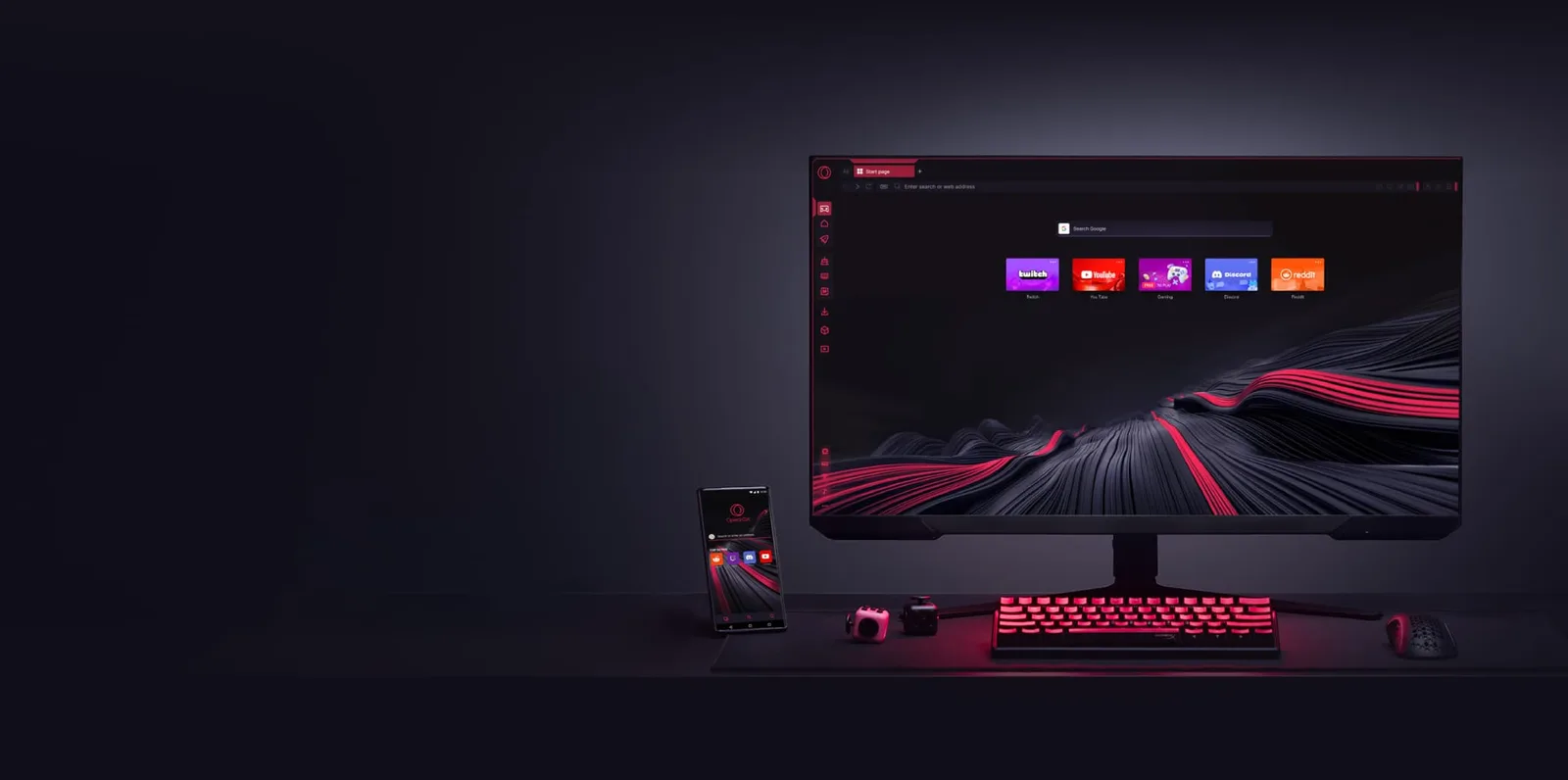
- Discord and Twitch in the sidebar. Opera says the Twitch panel shows which followed channels are live, with optional notifications, and that Discord sits in the sidebar.
- A built-in ad blocker. LaptopMag called it "fairly solid" but said it won't block YouTube ads.
- A free VPN for browser traffic only, with three locations, per Opera's VPN page. It doesn't touch your game's connection.
- GX Corner and mods: a page of free games and release dates, plus themes, sounds and wallpapers, per Opera's GX Mods page. Cosmetic, and some people will find it a lot.
What Chrome Still Does Better
Sync is the big one. Google says that once you sign in, your bookmarks, passwords and other saved info follow you across devices. If your phone, laptop and work PC all run on a Google Account, Chrome is the easy answer. GX can sync through an Opera account, but you'd be starting a second one.
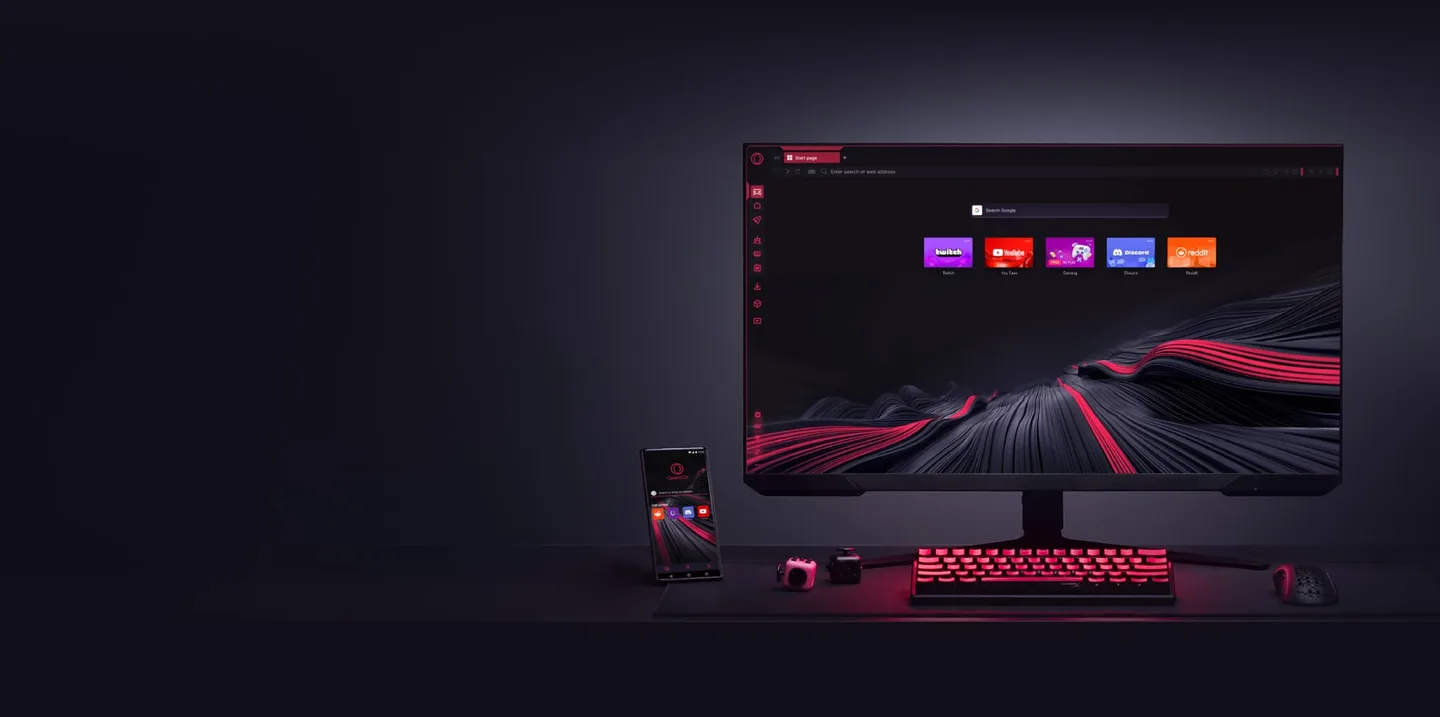
Chrome is also the plainer browser. Guiding Tech gave it the address bar and extension rounds, and Make Tech Easier calls it excellent for people who want a clean interface and broad extension support, even though it picked GX as the winner. If sound effects, a sidebar and a themed start page sound tiring, you're probably a Chrome person.
Extensions come with a quirk. GX runs Chrome Web Store extensions only after you add Opera's helper add-on, per Opera Help, which also warns that many Web Store extensions are third-party apps, so read ratings first. On ad blockers, Wikipedia says critics argue Chrome's Manifest V3 limits the rules they can use.
Privacy and Trust
Comparitech (updated June 18, 2026) found no known spyware in GX and no VirusTotal alerts on the installer. Opera's privacy statement says ad personalization uses data only with your consent, and Opera is about two-thirds owned by Kunlun Tech, per Wikipedia. Chrome is proprietary too, so neither is an open-source answer. The full breakdown is in our Opera GX safety review.
Opera GX vs Firefox, Brave and Edge
Firefox and Brave are open source, per Wikipedia, and in SlashGear's and TurboGeek's tests they used less RAM than regular Opera (different machines, different methods). We didn't check what resource limits Firefox offers, so look at its feature list before you decide. Edge is Chromium-based like Chrome and GX. A full ranking is a different page.
Switching From Chrome in 10 Minutes
You aren't deleting Chrome. Keep it for a week so you can go back. Our links go to Opera's site through our tracker; if you'd rather, type the address yourself.
Get Opera GX from the official site (free; Opera lists Windows, macOS and Linux, per Wikipedia)
- Install it from opera.com. Before you run it, right-click the installer, open Properties, then Digital Signatures: the publisher should be Opera. That check is our suggestion.
- Import your Chrome data. Per Opera Help, you can import from Chrome, Firefox, Safari, Yandex or a bookmarks HTML file, covering history, bookmarks, cookies and more; look for the import option in Settings. Opera's features page mentions saved passwords too. If they don't come across, export them from Chrome's password manager to a file, import that, and delete the file afterward. That fallback is our suggestion.
- Add your Chrome extensions. Install Opera's "Install Chrome extensions" add-on from its add-ons store, open a Chrome Web Store listing, click "Add to Opera" and follow the prompts. Re-add only what you use.
- Set a cap. Opera suggests roughly 50 to 60% of available RAM on a mid-tier system; pick a number with the RAM table in our GX Control guide, then lower it while a game runs.
- Pin Discord and Twitch, and remove the panels you won't use.
- Turn down the sounds and animations if they get old. We couldn't find a step-by-step on Opera's pages, so look in GX's settings.
- Review the personalized-ads, usage-statistics and crash-report switches in Settings, and skip creating an Opera account unless you want its sync.
- Decide after a week. Did your game run better with the browser open? Did you miss Google sync? If so, import in reverse.
What We Couldn't Verify
- A current, GX-specific RAM test against Chrome. The numbers above are old, small or about regular Opera.
- Frame rates and latency. Opera's "less lag" is a claim.
- Other comparisons. The ones we could open publish no current GX numbers.
- What Chrome's built-in extras are beyond what Google's pages state.
- Password import. Opera's pages say it's supported; we didn't test it.
- Default privacy switches and Chromium patch speed, which the safety review leaves open too.
Bottom Line
Bottom line: GX is the better browser for one kind of person, the gamer whose RAM runs out when a game, Discord and a pile of tabs share a PC and who wants caps and a sidebar instead of habits. For everyone else, Chrome is the sensible default and "better" is mostly taste. GX is free and imports your Chrome data, so the cheapest way to settle it is the steps above. If your game runs no better and you miss Google sync, you've lost ten minutes.
Get Opera GX from the official site
FAQ
Is Opera GX better than Chrome for gaming?
It can be, if you run a browser beside a game. Opera says GX Control caps the browser's RAM, CPU and network use, and Google's Memory Saver page describes no memory cap. We found no test showing higher frame rates, and Chrome is better for Google sync and a plain interface.
Is Opera GX recommended for gaming?
It's worth a short trial if a browser competes with your game for RAM, thanks to its built-in caps and Discord and Twitch sidebar. Nothing we found shows it improves frame rates, and Opera's "less lag" is a claim. Chrome stays installed, so trying it costs nothing.
Does Opera GX use less RAM than Chrome?
Not proven. The tests disagree: a 2021 Medium test found GX heavier, a 2023 Make Tech Easier review said Chrome used more, and two tests of regular Opera (not GX, on different machines) put it below Chrome at 10 and 20 tabs. Compare both in Task Manager on your own PC.
Will Opera GX raise my frame rate?
We found no test showing it does. GX Control limits the browser's own appetite, and Opera's pages offer no frame-rate benchmarks. Its "less lag" is a claim, not a measurement. If you try it, check your game with the browser open before and after the switch.
Is Opera GX faster than Chrome?
Not in the benchmarks we found. Guiding Tech's Speedometer 3.0 result put GX about 28% lower (our arithmetic), and LaptopMag had it about 7% behind on Speedometer. Those measure page speed, not what happens to your game, and both are over two years old.
Can I use Chrome extensions on Opera GX?
Yes, after one step. Per Opera Help, add Opera's "Install Chrome extensions" add-on from its add-ons store, open a Chrome Web Store listing, then click "Add to Opera". Opera Help also warns that many Web Store extensions are third-party apps, so read ratings first.
Is Opera GX better than Firefox or Brave?
We can't rank them. Firefox and Brave are open source, per Wikipedia, and in the SlashGear and TurboGeek tests they used less RAM than regular Opera (different machines and methods). We didn't compare their resource controls with GX's, so check those before you switch.
Opera GX
Pros
- RAM, CPU and network limiters built in, per Opera
- Free ad blocker, browser-only VPN and Discord/Twitch sidebar, per Opera
- Imports Chrome data and runs Chrome Web Store extensions, per Opera Help
Cons
- No independent test shows it beats Chrome on RAM or frame rate
- Closed source, and about two-thirds owned by Kunlun Tech (per Wikipedia)
- Busier interface and a separate Opera account for sync
 Reviews
Is Opera GX Safe? Opera GX Review (2026)
Is Opera GX safe? The official browser isn't malware. The real risks are fake installers, ad-personalization data and Chinese majority ownership. Here is what's sourced, what real users say, and whether GX Control is worth switching for.
 Guides
Opera GX RAM Limiter & GX Control: Setup Guide
Open GX Control, set an Opera GX RAM limiter cap for 8, 16 or 32GB of memory, decide whether the hard limit is worth it, and work through the fixes when Opera GX lag comes from the browser itself.
 Reviews
NTE: Neverness to Everness Review (2026)
Hotta Studio followed Tower of Fantasy with a bigger, stranger open world. Here's what Steam reviews, critic scores, and long-session players actually say about what Neverness to Everness gets right — and where it doesn't.