- Opera GX Mods vs Themes, Wallpapers and Extensions
- How to Install an Opera GX Mod From the GX Store
- 7 Example Opera GX Mods, by Vibe
- Opera GX Wallpapers Without a Full Mod
- Opera GX Dark Mode: Force Dark Pages
- Opera GX Sounds and Music: How to Turn Them Off
- Do Mods Slow Opera GX Down?
- How to Make an Opera GX Mod
- What We Couldn't Verify
- FAQ
An Opera GX mod is a free pack from the GX Store that changes how the browser looks, sounds and behaves, from the theme and wallpapers to music and keyboard sounds. Open GX Mods in the left sidebar, pick one, install it, and mix it with others if you like. Last checked: October 17, 2026.
Get Opera GX from Opera's site. Our links go to Opera's site through our tracker, and we may earn a commission.
Picture a mod's background music leaking through the wall at 11 p.m. My partner Sam teaches music, so that scenario is not hypothetical in our apartment, and it's why the off switches get their own section below. The rest of the pitch is simpler. Your desk has RGB, maybe a themed mousepad, your favorite game's soundtrack in the background, and then the browser is plain grey.
I haven't used these mods or measured what they cost a PC, so nothing here is a test. It comes from Opera's pages, the store listings and Opera's forum, linked where used.
Opera GX Mods vs Themes, Wallpapers and Extensions
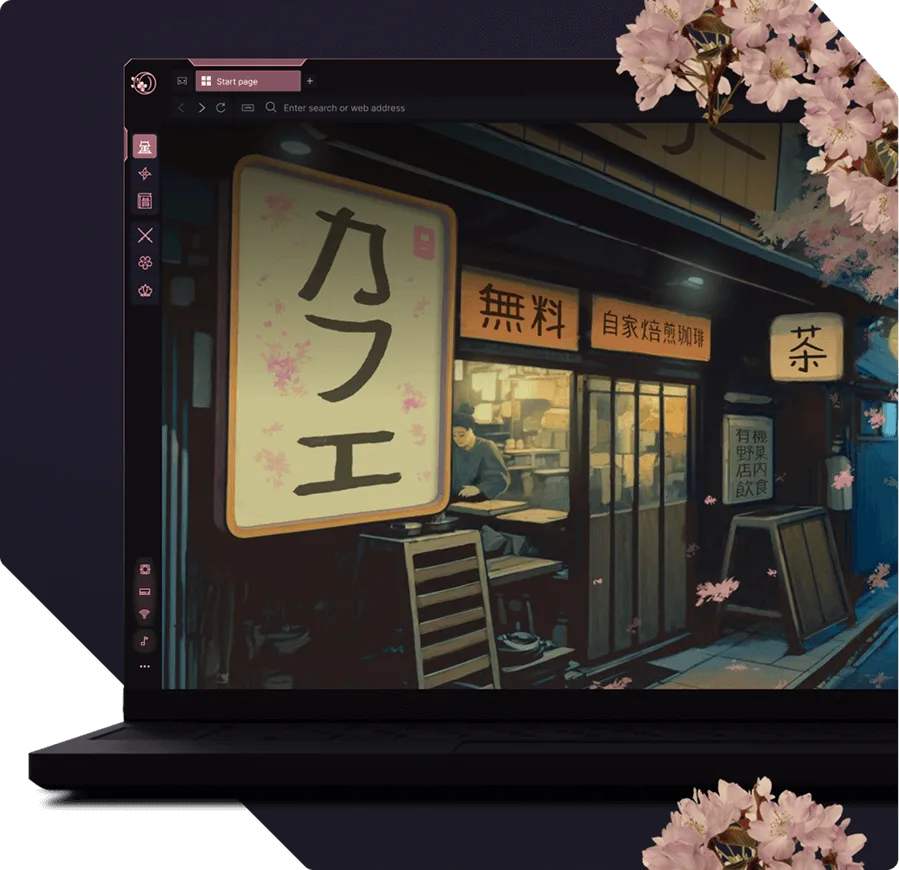
- Mod: a bundle. Opera's mods page lists a theme, wallpapers, shaders (visual effects on web pages), background music, browser sounds, keyboard sounds and a free Discord theme for the sidebar. The FAQ on Opera's mods feature page adds fonts, speed dial visuals and splash screens.
- Theme: the colors and look of the interface. Opera's help page for the regular browser describes themes as an animated or static wallpaper, UI color schemes and sound effects.
- Wallpaper: the background image or video. You can set one without a mod, through Easy Setup (below).
- Extension: a different thing that adds features, like a blocker or password manager. Opera's help page urges care with third-party extensions. The store does have a "Web Modding" type, and Opera's launch post describes shaders as GPU-driven effects that render as you browse, so mods can reach into web pages.
You can take part of a mod. The GX Mods repository says users "can install multiple mods and choose which elements to enable." Love the wallpaper but not the music? Keep one and switch the other off.
How to Install an Opera GX Mod From the GX Store
Not installed yet? Get Opera GX from Opera's site. If an installer ever looks off, what our review found on fake installers is worth two minutes.
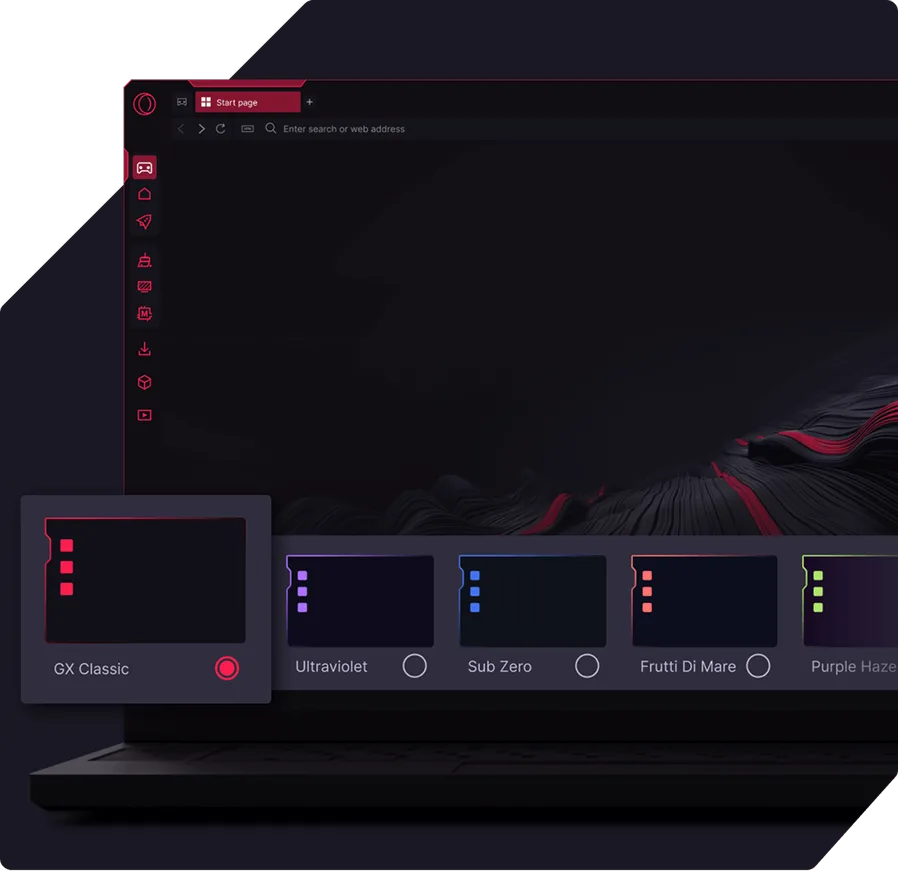
- Click GX Mods in the sidebar. Opera's mods page says that opens the GX Store.
- Sidebar hidden? Easy Setup, in the top-right corner, has a Show sidebar switch (Opera's help describes it that way for the regular browser).
- Choose a mod and install it. Opera's FAQ says mods are free.
- Add a second one if you want to mix them.
The store's Mods page showed "12001 Results," sorted by "Most downloaded." The page doesn't say what the number counts, and its filter list includes wallpapers and sounds, so it probably covers all item types and not only full mods. Three filters do most of the work: Wallpaper, Theme and Keyboard sounds.
This is the step people skip: read the listing before you install. Authors put warnings there. One mod below asks you not to enable its shaders, and another says it "can be resource hungry."
7 Example Opera GX Mods, by Vibe
We opened these listings on October 17, 2026, picking one per vibe and mixing popularity on purpose, from 78,541 installs down to 117. It is a sampler, not a quality ranking. All are community mods; Opera's own launch post names presets such as Cyberdeck, Anime and LoFi Chill.
| Vibe | Mod and publisher | Installs, version (Oct 17, 2026) | What the listing says it changes |
|---|---|---|---|
| Retro | GX Retrowave, kakkaktus studio | 214,677; v2.0 | 80s and 90s look, neon colors, music, light and dark wallpapers, browser and keyboard sounds. Shader marked "coming soon." |
| Nostalgia | Pokémon Nostalgia Gen3, Mighty Paw Studio | 1,500; v1.0.0 | Homepage wallpaper, dark colors from Ruby and Sapphire, light colors from Emerald, Littleroot Town music, many UI sounds. |
| Soft anime | Kaoruko Waguri Mod, FoxyNoxy | 1,927; v1.0 | Plum and blush palette, animated wallpaper, shader, a music slot, a YouTube reskin. |
| Cozy game | Purrfect GX, gabewant studio | 117; v1.3.1 | Based on the visual novel Purrfect Apawcalypse: keyboard sounds, dark theme, music, wallpapers. The author says not to enable its shaders. |
| Dark game | The Grimm Troupe GX, GameKing972 | 797; v1.1.1 | Hollow Knight-inspired colors, background music, menu sounds. |
| High contrast | Project Forsaken, Toshi93 studio | 1,441; v1.1 | Black-and-white theme with Matrix and Wave shaders, rotating video wallpapers, lobby music, custom sounds. |
| Blocky | The Minecraft Experience, Qsta981 studio | 78,541; no version shown | Minecraft music and sound effects (the listing says they come from the game's files), a color theme, edited wallpapers. Warns: "This mod can be resource hungry." |
Project Forsaken goes furthest, pairing shaders with video wallpapers, and that is the combination to watch if your PC is modest.
Opera GX Wallpapers Without a Full Mod
If you only want a new background, skip the mod. On Opera's live wallpapers page: open Easy Setup, find Wallpapers, choose Custom and pick one. "Get more" opens the GX Store, and Add your wallpaper takes your own image. The page doesn't explain how to turn live wallpapers off or mention any performance cost.
For that, the regular-browser help page has a note under Dynamic themes: "Animated wallpapers can affect your system's performance. Disable this option if your system feels too slow." It names the Animated button on two specific themes, so read it as a hint for GX, not a GX instruction.
Opera GX Dark Mode: Force Dark Pages
A dark theme darkens the browser frame, not the sites. Force Dark Pages does the sites: open Easy Setup, go to Features and switch on Force dark pages, or use Settings (Alt+P). A button beside the toggle sets it per site, and the same switch turns it off.
Opera GX Sounds and Music: How to Turn Them Off
- Keyboard sounds: Opera's page points to Settings > Mods > Keyboard Sounds, where you can disable or mute them.
- Background music and browser sounds: a 2020 Opera blog post says both "can be switched off at will in the Browser sounds section in Settings." It's six years old, so menu names may have moved. In an undated forum thread, a volunteer who reproduced a music bug also refers to the Easy Setup switch.
- That bug: the volunteer reports that toggling music in a private window can leave a normal window out of sync, and says you have to disable the music and enable it again.
- A whole mod: Opera's pages don't cover it. In an undated forum answer, a volunteer says a power icon near the top of opera://mods turns mods on and off, and that it's "very subtle and hard to notice." For removal, a moderator in another thread wrote "Maybe you can only disable them." We found no official removal steps. The cautious route, built on those two replies, is to disable the mod from opera://mods and then pick another in the GX Store.
Do Mods Slow Opera GX Down?
We found no measurement. The warnings we have are the Minecraft listing's "resource hungry" note, the animated-wallpaper hint above and the opening caution about extensions. If the browser drags after you install one, here's an order that makes sense (our suggestion): shaders first, then the wallpaper's animation, then music, then the mod. Stacking shaders and a live wallpaper on a slow PC is the likeliest mix to hurt, and turning off the shader is the cheapest test. If it stays slow, the cause is probably elsewhere, and our GX Control guide covers the RAM, CPU and network limiters.
Mods once had a reported security bug, which our review covers. Install them from the GX Store, not from links in chats.
How to Make an Opera GX Mod
In the browser: open GX Mods, click Create, and Opera's mods page says you'll find instructions for creating and uploading. The technical side lives in the GX Mods README and its mods documentation:
- Start from the Mod_Template in the documentation folder.
- A
manifest.jsondefines the contents, name, author and version. A mistake there triggers an error when GX loads the mod. - A mod can hold several shaders, but only one is active at a time, and the user picks.
- For wallpapers and themes, the doc says "Mods can't block users from switching between light and dark mode."
- Share through GX.create, which uploads a zipped mod to the store.
The README links video tutorials for each piece, and the docs say "Both Opera GX Mods and documentation are still actively developed." We haven't built a mod, so we can't say how long it takes.
What We Couldn't Verify
- Performance cost. No independent test of mods, shaders or live wallpapers turned up.
- Full mod removal. Only forum replies, no Opera help page.
- Current menu paths. Some sources date from 2020 and 2023, and GX's settings change.
- Store numbers. Installs and versions are snapshots from October 17, 2026.
- Chrome themes. One moderator reply; no official statement.
- Mod contents. We read listings, not the packages.
Get Opera GX from Opera's site if you want to try one. Mods are free, per Opera.
FAQ
What does web modding do on Opera GX?
Web modding changes how websites look inside the browser, not just the browser frame. Per Opera's launch post, shaders are GPU-driven effects that render as you browse and can alter web pages, and the store has a "Web Modding" type. The Kaoruko Waguri Mod listing, for example, includes a YouTube reskin.
Are Opera GX mods free?
Yes. Opera's mods page and FAQ say mods are free. The GX Store lists mods from Opera and from the community, so read each listing before you install, because authors put their warnings there.
How do I remove or turn off an Opera GX mod?
Opera's pages don't say. A forum volunteer points to a power icon near the top of opera://mods that turns mods on and off, and a moderator wrote "Maybe you can only disable them." We found no official removal steps. Music and sounds switch off separately in Settings.
Do mods slow down Opera GX?
We found no measurement. One listing warns it "can be resource hungry," and Opera's regular-browser help says animated wallpapers can affect performance. Our suggestion: turn off shaders first, then the wallpaper's animation, then music, then the mod, and see whether the browser recovers.
How do I get Chrome extensions on Opera GX?
A moderator in an Opera forum thread said Opera now supports Chrome extensions natively. The thread gives no install steps, and we haven't tested one. Opera's help page also urges care with third-party extensions, so check what an extension asks for before you add it.
Can I use Chrome themes on Opera GX?
Probably not. In an Opera forum thread, a user hit an "Invalid manifest" error with a Chrome theme, and a moderator replied that it's probably because Opera doesn't support themes. That is one reply, not an official statement. GX mods and its built-in themes are the supported route.
How do I turn off Opera GX keyboard sounds?
Go to Settings, then Mods, then Keyboard Sounds, where you can disable or mute them, per Opera's keyboard sounds page. Background music and browser sounds have their own switch in the Browser sounds section of Settings, per a 2020 Opera post. Menu names may have changed since.
How do I get Opera GX dark mode on every site?
Open Easy Setup, go to Features and switch on Force dark pages, or use Settings (Alt+P), per Opera's Force Dark Pages page. A dark theme only darkens the browser frame, not the sites. A button beside the toggle sets it per site.
How do I make an Opera GX mod?
Open GX Mods in the sidebar and click Create, per Opera's mods page. The GX Mods repository supplies a Mod_Template, the manifest.json format and video tutorials, and GX.create uploads a zipped mod to the store. Opera says the docs are still being developed.
 Guides
Opera GX RAM Limiter & GX Control: Setup Guide
Open GX Control, set an Opera GX RAM limiter cap for 8, 16 or 32GB of memory, decide whether the hard limit is worth it, and work through the fixes when Opera GX lag comes from the browser itself.
 Reviews
Best Browser for Gaming (2026): Picked by How You Play
The best gaming browser depends on the job: a low-end PC short on RAM, streaming with chat open, privacy first, or just Chrome-like simplicity. Five picks from maker pages and the tests that exist, with who should skip each.
 Reviews
Is Opera GX Better Than Chrome? Gamer's Verdict (2026)
Is Opera GX better than Chrome? For a gamer who keeps a browser open beside a game, its built-in RAM, CPU and network caps are the main difference on paper. For everything else, Chrome holds its ground. Here is what the tests do and don't show, and how to switch in 10 minutes.