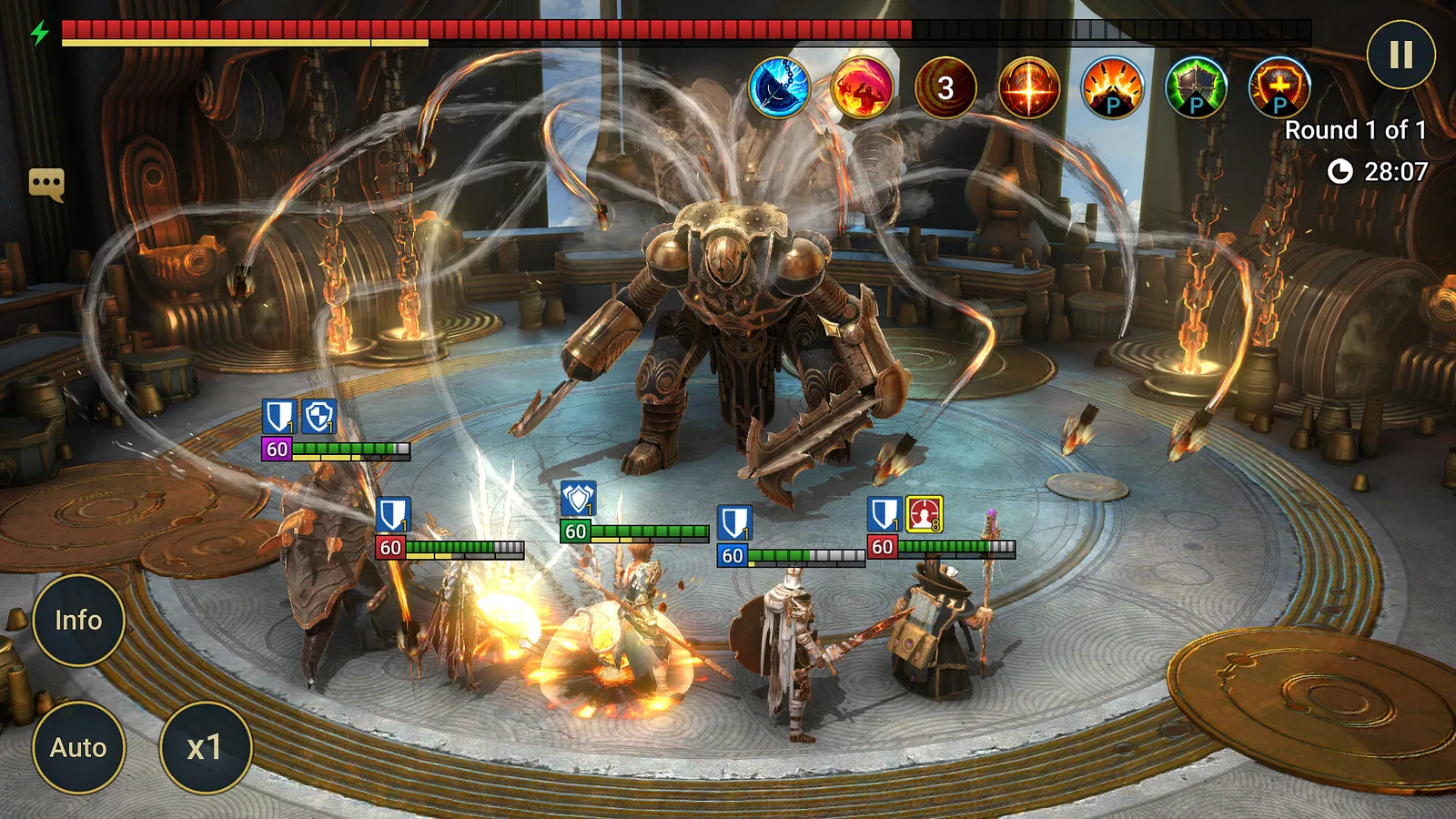

Yes, you can play RAID: Shadow Legends on a computer, and you don't need an emulator. Plarium, the studio behind the game, makes a free launcher called Plarium Play that runs RAID natively on Windows, and the game is also on Steam. Your mobile account can come with you, but only if you link it the right way before you launch the game on PC. Last checked: October 2, 2026.
The short version: save your mobile account to a Plarium ID, install the official PC client, and log in with that same Plarium ID. The rest of this guide covers the two mistakes that cost players their progress, the Steam option, and an honest look at whether the game deserves your evenings.
Is There an Official PC Version?
There is. RAID: Shadow Legends launched on iOS and Android on July 4, 2018. It's a dark fantasy collection RPG from Plarium: you collect champions, build teams, and send them through a campaign, dungeons, an arena, and clan boss fights. Plarium brought it to PC through Plarium Play on January 21, 2020, and a Steam version followed on January 9, 2024.
It's one game across every platform. The PC version isn't a separate edition with its own servers: you play in the same world, with the same clan and the same events as players on phones. Most mobile games aren't this tidy on a computer; our guide on how to play mobile games on PC compares every route, from official clients to emulators.
How to Play RAID: Shadow Legends on PC
Plarium's support article on moving your progress is clear about one thing: the order matters.
If you already play on your phone:
- In the mobile game, connect your account to a Plarium ID (an email-based Plarium account). This is the step that makes the transfer possible.
- On your PC, install the official Windows client.
- Open Plarium Play, click Log in, and sign in with the same Plarium ID. Then install RAID from the launcher. Your champions and progress load automatically.
If you're new to the game:
- Install the free PC client and start playing.
- Create a Plarium ID early, so you can pick up the same account on your phone later.
Two Mistakes That Cost Players Their Progress
Both come straight from Plarium's own help pages, and both are easy to avoid once you know about them.
Launching RAID on PC before you log in. If you start the game in Plarium Play without logging in with the Plarium ID that holds your mobile account, the launcher creates a brand-new profile. Plarium warns that your current progress will be lost and that you won't be able to connect your mobile profile afterward. Log in first, launch second.
Choosing Facebook to sign in. Even if your mobile account is connected to Facebook, Plarium says not to pick the Facebook option on PC, or you'll start a new game. Use your Plarium ID.
Plarium Play vs. Steam vs. an Emulator
You have three ways to get RAID on a computer. For most players, the choice is simple.
| Plarium Play | Steam | Android emulator | |
|---|---|---|---|
| Who makes it | Plarium, the game's studio | Valve's store, same game | A third party |
| Platforms | Windows and Mac | Windows only | Varies |
| Mobile progress | Log in with your Plarium ID | Link Steam to your Plarium ID first | Through the mobile app's own login |
| Extra software | The launcher | The Steam client | The emulator itself |
Steam is fine if you already live in Steam, but there's a catch. Per Plarium's Steam guide, you have to link your Steam account to your Plarium ID in Plarium Play's settings before you install RAID from Steam. Install it first, and you start a new account.
An emulator made sense before 2020. Today there's no real upside to running the phone version inside a virtual Android device when a native client exists.
On a Mac, Plarium Play is the only official route, since the Steam version is Windows only. You'll find the Mac launcher on Plarium's website.
If you play other mobile-first games on your computer, the same logic applies: our guide to playing Star Trek Fleet Command on a PC or Mac walks through the equivalent setup for Scopely's space strategy game.
System Requirements
Unlike many mobile ports, RAID has an official spec sheet. According to Plarium's system requirements page and the Steam listing, you need:
| Windows | Mac | |
|---|---|---|
| Operating system | Windows 10 version 21H1 or newer, or Windows 11 | macOS Monterey 12 or newer |
| Processor | x86 or x64 with SSE2, or Arm64 | Apple Silicon, or x64 with SSE2 |
| Graphics | DirectX 10, 11, 12 or Vulkan capable | Metal-capable Intel or AMD GPU |
| Memory | 8 GB RAM | 8 GB RAM |
| Storage | 5 GB (Steam listing) | — |
The 8 GB of RAM is the number to check. The graphics bar is low, so most laptops from the last several years clear it. If your machine struggles, Plarium suggests dropping Graphic Quality to Medium or Low and capping the frame rate at 30 FPS in the game's Options tab.
Is RAID: Shadow Legends Worth Playing in 2026?
It depends on what you want from it. The strengths are real: according to the Steam store page, the game has more than 800 playable champions and eight game modes. It's also still actively developed, with new champions and events rolling out through 2026, and turn-based battles suit a big screen and a mouse well.
The weakness is just as real. RAID is free to play, and its economy is built around paid summons of champions, which Steam labels as "chance-based in-game purchases." Progress slows down as you advance, and a common complaint in reviews is that it becomes hard to keep up without spending. On Steam, user reviews sat at "Mixed" (59% positive out of about 1,400) as of October 2, 2026.
Our take: it's worth trying if you enjoy collecting and building teams, like slow-burn progression, and are comfortable setting a spending limit and sticking to it. If you want a game where skill decides everything and the store stays out of the way, this isn't it.
What Players Say
Two recent reviews from RAID's Steam page, read in October 2026. They're individual opinions.
- A positive one. One Steam player praised the upkeep: "Constantly running events, new characters added often, new dungeons from time to time."
- A critical one. Another player wrote, "This game is not F2P friendly and never will be," and said free players face months or years of daily logins to catch up.
Both can be true: a steady stream of content is easy to enjoy and hard to keep up with on a free account. Decide what you'll spend before you start.
FAQ
Is RAID: Shadow Legends free on PC?
Yes. Plarium Play, the Steam version, and the game itself are free to install and play. Like the mobile version, it offers optional in-game purchases, including randomized champion summons.
Is RAID: Shadow Legends pay to win?
Players' scores lean that way. Metacritic's user score, which anyone can submit, is 2.3/10 from 112 ratings as of October 3, 2026. That's an opinion, not a measurement. The game is free to install, and Steam labels its summons "chance based in-game purchases," so set a spending limit first.
Can I play RAID: Shadow Legends on a Mac?
Yes, through Plarium Play, which supports macOS Monterey 12 or newer on Apple Silicon and Intel Macs. The Steam version is Windows only.
Does my mobile progress carry over to PC?
Yes, as long as your mobile account is connected to a Plarium ID and you log in with that same Plarium ID on PC before launching the game. Don't use the Facebook login on PC.
Is RAID: Shadow Legends on Steam?
Yes, since January 9, 2024, on Windows only. To keep your mobile progress, link your Steam account to your Plarium ID in Plarium Play first, then install RAID from Steam.
Do I need an emulator like BlueStacks?
No. RAID runs natively on Windows and Mac through Plarium Play. An emulator adds a layer of software without giving you anything the official client doesn't.
 Guides
Games Like Rise of Kingdoms on PC: 8 Picks (2026)
Eight alternatives to Rise of Kingdoms you can play on a PC, from mobile-style alliance wars to two full 4X strategy games. Each entry covers the PC route, what it shares with RoK, how it makes money, and who it's for.
 Guides
Best Gacha Games on PC (2026): 6 Picks, Ranked
Six gacha games that run on PC in October 2026, ranked by our judgment of public scores, sourced pity rules and press coverage of spending. For each: genre, where to get it, the pity rules, what the press says about spending, and who it suits.
 Guides
Rise of Kingdoms on PC: Official Client Guide (2026)
Rise of Kingdoms has an official PC client from Lilith Games, so you don't need an emulator. Here's how to set it up, why you should link your mobile account first, and whether the game deserves your time.